 cadraTV
Play an M3U playlist on Fire TV
An M3U playlist is a list of addresses for channels, movies or series. It needs a player: here is how to watch it with Cadra TV, free and ad-free.
1. What you need
Cadra TV is a player: it does not provide, host or sell any content. You use it with your own sources, and only with sources you have the right to watch.
- The address of your M3U playlist, given by your provider. It looks like a web link and often ends in .m3u or contains get.php.
- A Fire TV Stick, a Fire TV Cube or an Android TV television.
- Cadra TV installed. It takes about five minutes with the free Downloader app: follow the Fire TV install guide.
2. Add your playlist
Two ways, depending on whether you want to avoid typing a long address with the remote.
With a Cadra Account (the easiest)
On your phone or computer
Open cadra.tv/compte, sign in with your email address, then My sources → Add and paste the M3U address.
On the TV
On first launch, choose Link my Cadra Account (recommended). A QR code appears. Later: Settings → Cadra Account → Link this device.
Scan and confirm
Scan the code with your phone and confirm: the playlist reaches the TV in a few seconds. The account is free and optional; your data is end-to-end encrypted.
Without an account, directly on the TV
Open Settings and choose Add a source at the top of the screen (or on the home screen while there is no source). Choose M3U playlist, type the address with the on-screen keyboard, then Save and import.
The full tutorial, with screenshots, is in Getting started on TV.
3. The first load
Cadra TV reads the playlist and sorts its content: live channels, movies and series with their posters. A large list can take a moment the first time. After that, your sources refresh on their own in the background: there is nothing to redo.
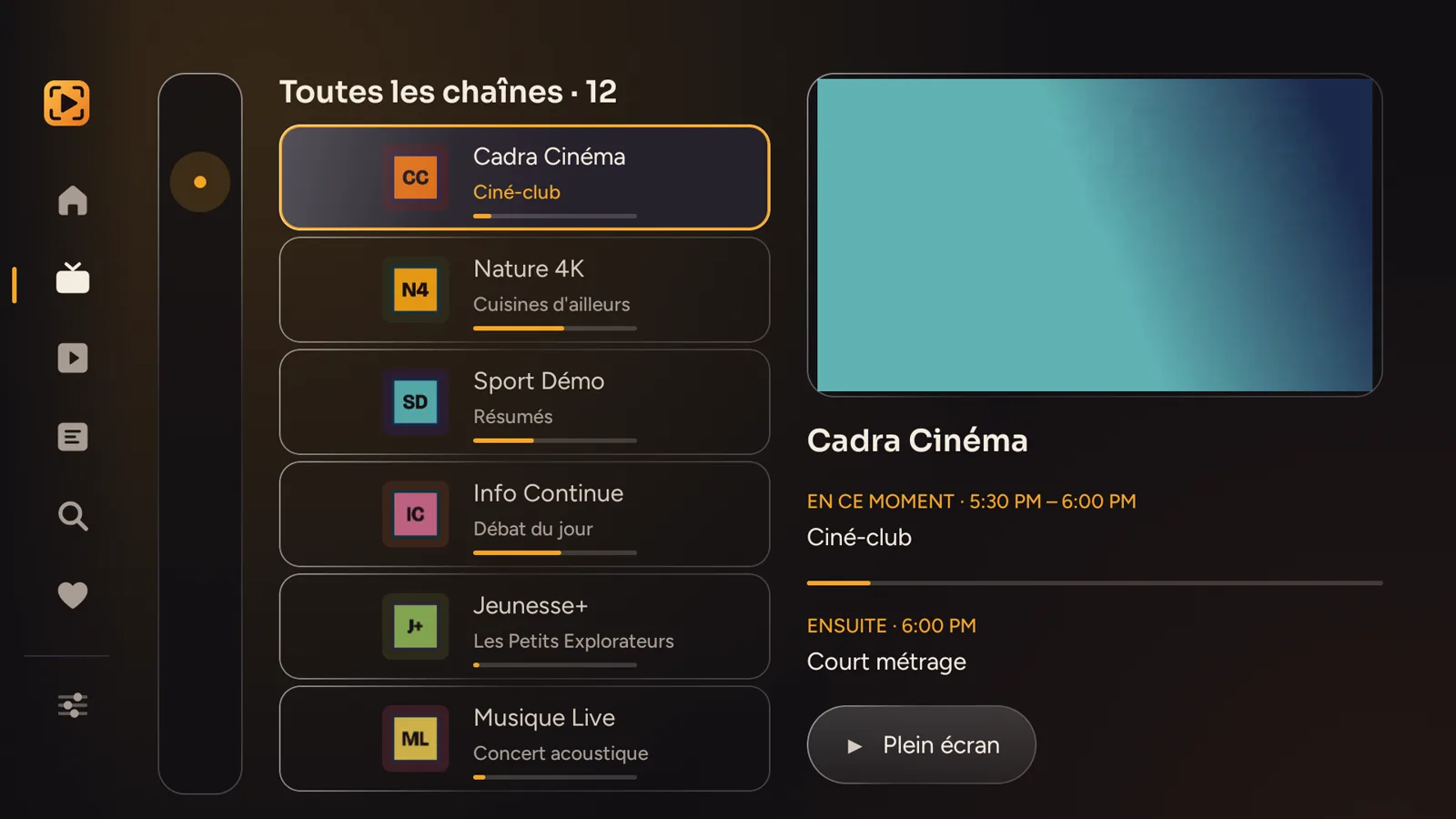
4. The program guide
If your playlist announces a guide, Cadra TV uses it without asking you anything. Otherwise, you can provide one yourself. It is all explained in add an XMLTV guide.
5. It doesn't work?
- Nothing loads. Check that the address is complete, copied in full, and that the Fire TV is connected to the Internet. An expired playlist or a finished subscription also gives an empty list: ask your provider.
- A channel won't start. Most of the time, it is offline at the provider. Try it in another player: if it doesn't work there either, contact the provider.
- The guide is empty. See the XMLTV guide.
Other questions: the FAQ, or bonjour@cadra.tv.
Read next
- Getting started on TV: find your way around, multiview, favorites.
- Cadra TV or VLC on Fire TV?
- Download Cadra TV