 cadraTV
Add an XMLTV program guide
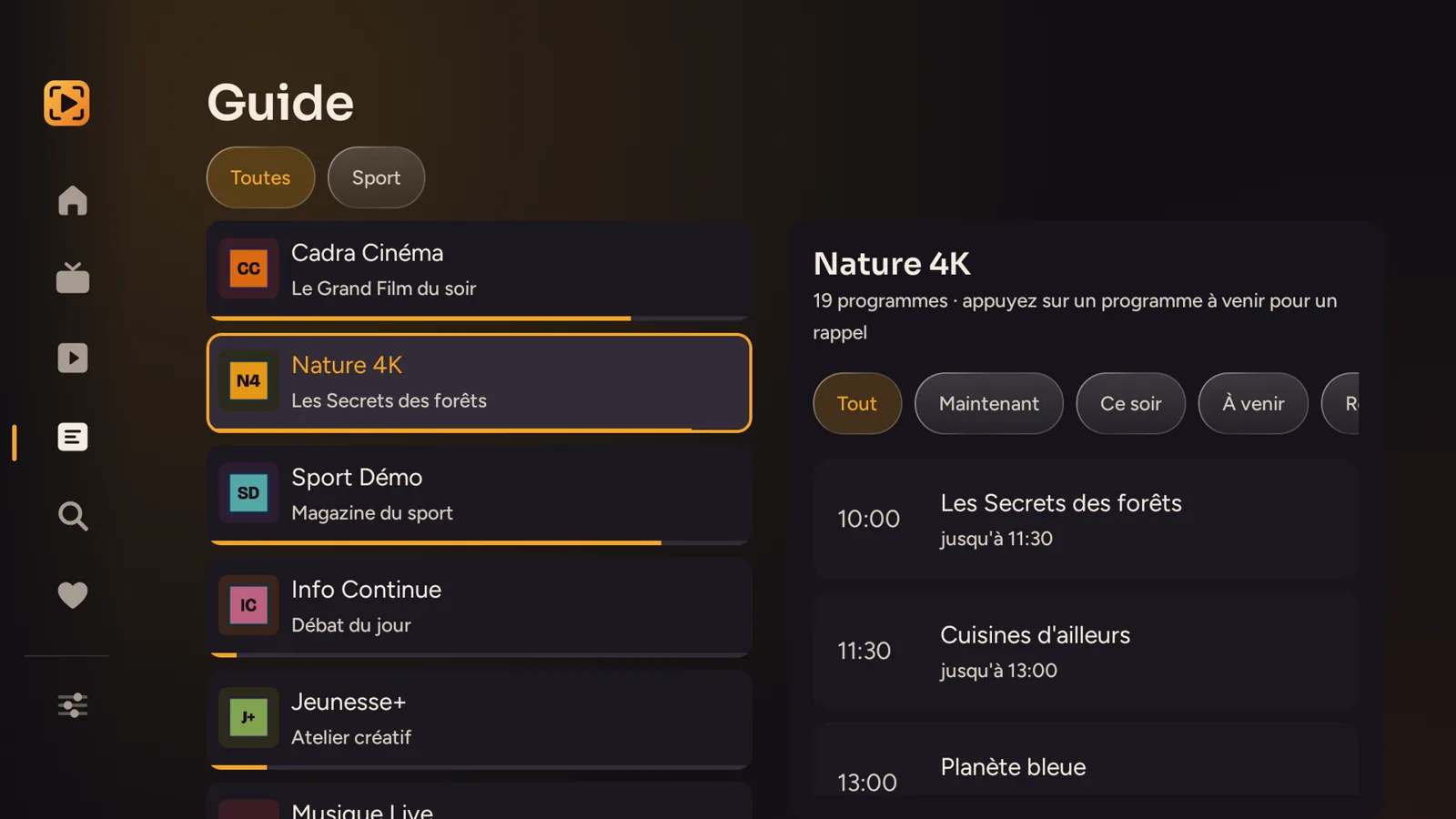
The Cadra TV guide shows what is on now and what comes next on your channels. It comes from an XMLTV file, separate from your playlist.
1. What is XMLTV?
XMLTV is a file format that describes TV programs: for each channel, the shows, their times and their descriptions. A provider publishes it as a web address, sometimes compressed (.xml.gz). Cadra TV downloads it, then shows the time grid, reminders and catch-up when they exist.
Cadra TV does not provide any guide or content: the file comes from your subscription or from a source you choose.
2. Most of the time, nothing to do
Cadra TV looks for the guide on its own, in this order:
- The one your playlist announces. An M3U playlist can declare its guide address on its first line. Cadra TV reads it.
- The one from your Xtream Codes server. With an Xtream Codes account, the guide address is worked out from the server address, with the same credentials.
So in most cases there is nothing to type. If the grid appears, you are done.
3. Provide a guide on Fire TV and Android TV
If your source does not announce a guide, or if you have another one, provide it yourself:
Open the guide settings
In Settings, in the TV guide section, choose TV guide. The screen shows where the current guide comes from and how many programs are stored.
Enter the file address
Under Manual URL, enter the address of the XMLTV file, compressed or not. An address entered here overrides everything else.
Test, then download
Test without saving checks the address. Save and download keeps it and fetches the guide. Depending on the file size, allow a moment the first time.
Per source. You can also fill in the XMLTV guide URL (optional) when adding or editing a source: if the field stays empty, the guide is worked out automatically.
4. On Windows
On Windows, the guide is found automatically, in the order above. There is no address to type. In Live TV, click Download next to TV guide, in the left column: the button then becomes Refresh. Loading a large guide for the first time can take a minute.
5. The guide stays empty
- Your provider does not publish one. This is the most common cause: without an XMLTV file, there is nothing to show.
- The guide does not match your channels. The file is read channel by channel using an identifier. If those in the playlist and in the guide do not match, the grid stays empty, even though the file was downloaded.
- The download failed. Check the address and the Internet connection, then start the download again.
Still stuck? Write to us at bonjour@cadra.tv with your device, and never send us your credentials.